Bottom Navigation
The bottom navigation bar displays two to five destinations, each with an icon and text. Tapping an icon takes the user to its corresponding top-level destination.
Usage
- Crucial for easy access to main sections within an app, ensuring users can switch between key destinations effortlessly where one destination is always.
- Provide access to two to five destinations, used for mobile and tablet only.
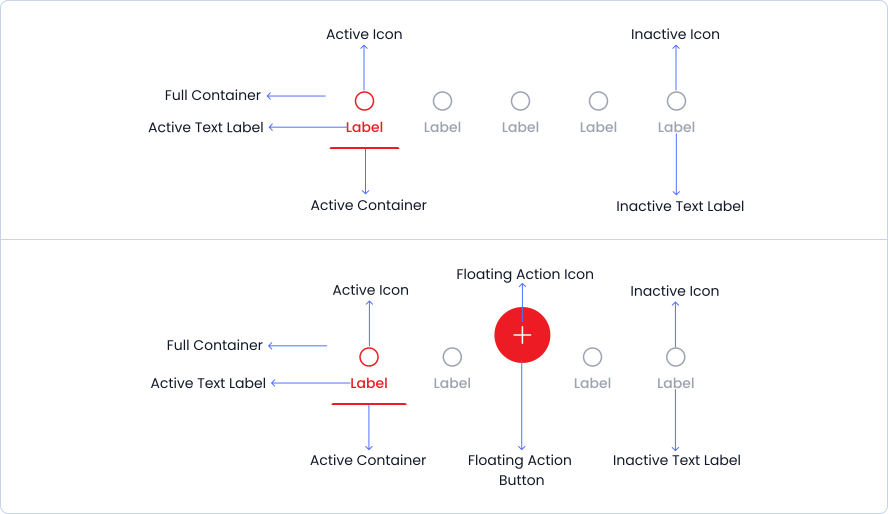
Anatomy
The button navigation structure comprises buttons, both active and inactive, housed within a container for organized presentation and user interaction.

Live Demo
The Bottom Navigation is demonstrated in a live environment in this demo.