⌘ K
  • Design Principles
  • Design Framework
  • UX Laws
  • Colours
  • Typography
  • Layout Grids
  • Spacing & Radius
  • Shadow & Blur
Product Design Process
Accessibility Guideline
Content Voice
Marketing & Collaterals
  • Accordion
  • App Bar
  • Avatar
  • Badge
  • Button
  • Breadcrumb
  • Bottom Navigation
  • Carousel
  • Cards
  • Checkbox
  • Chip
  • Date Picker
  • Dropdown
  • Dialog
  • Divider
  • Floating Action Button
  • Footer
  • Header
  • Link
  • Loader
  • Menu
  • Pagination
  • Popover
  • Progress Bar
  • Radio Button
  • Search
  • Sidebar
  • Slider
  • Skeleton
  • Statistic
  • Stepper
  • Switch
  • Table
  • Tabs
  • Tag
  • Text Field
  • Timeline
  • Toast Message
  • Tooltip
  • Upload
  • Logos
  • System Icons
  • Visual Icons
  • Illustrations
  • Images
  • Tones
Templates
v 1.0
  • About Helix
  • For Designers
  • For Developers
  • Components
Chip

Chip

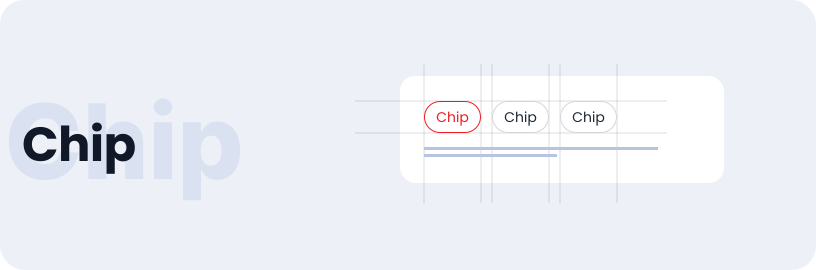
Chip streamline tasks by selecting items, filtering content, and make action easy for users.

Usage

  • Allow users to make selections.
  • Facilitate content filtering.
  • Enable users to initiate actions.

Anatomy

Chip is made up of a container that includes a chip label, a cross icon(optional), and an optional icon, all of which combine to form a chip component.

Variant

Chip come in various variants such as label only, label & trailing icon, leading icon & label, and leading icon label trailing icon.

Label Only

Premium

Label & Trailing Icon

Premium

States

Chips can be default or select

Default

Premium

Default

Premium

Selected

Premium

Selected

Premium

Specifications

Structure and spacing measurements for chip.

Live Demo

The Chip is demonstrated in a live environment in this demo.

Storybook

Gain access to the component library by clicking here. (For developers)

Checkbox
Date Picker

Helix - HDFC Life 2025