⌘ K
  • Design Principles
  • Design Framework
  • UX Laws
  • Colours
  • Typography
  • Layout Grids
  • Spacing & Radius
  • Shadow & Blur
Product Design Process
Accessibility Guideline
Content Voice
Marketing & Collaterals
  • Accordion
  • App Bar
  • Avatar
  • Badge
  • Button
  • Breadcrumb
  • Bottom Navigation
  • Carousel
  • Cards
  • Checkbox
  • Chip
  • Date Picker
  • Dropdown
  • Dialog
  • Divider
  • Floating Action Button
  • Footer
  • Header
  • Link
  • Loader
  • Menu
  • Pagination
  • Popover
  • Progress Bar
  • Radio Button
  • Search
  • Sidebar
  • Slider
  • Skeleton
  • Statistic
  • Stepper
  • Switch
  • Table
  • Tabs
  • Tag
  • Text Field
  • Timeline
  • Toast Message
  • Tooltip
  • Upload
  • Logos
  • System Icons
  • Visual Icons
  • Illustrations
  • Images
  • Tones
Templates
v 1.0
  • About Helix
  • For Designers
  • For Developers
  • Components
Divider

Divider

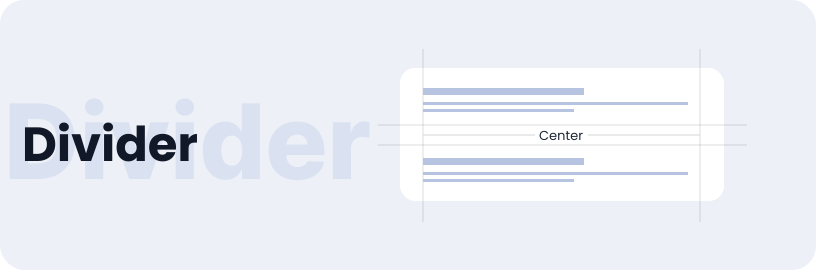
Dividers, also known as lines or strokes, are thin lines used to organize content in lists or layouts and separate different content blocks..

Usage

  • In lists, separate items to show they are individual and unrelated items when each item is long and otherwise difficult to scan.
  • When whitespace is not enough of a separator.
  • Dividers separate related content into distinct sections.

Anatomy

The divider consists of a line, which may include optional centre text serving as a text label.

Variant

Horizontal dividers separate content vertically, while vertical dividers separate content horizontally.

Horizontal

Vertical

Lorem

Option

Here are different options of dividers: full width, middle inset, and full width with a label.

Horizontal

Vertical

Lorem

Horizontal / Text Center

Divider Text

Specifications

Structure and spacing measurements for divider.

Live Demo

The divider is demonstrated in a live environment in this demo.

Storybook

Gain access to the component library by clicking here. (For developers)

Dialog
Floating Action Button

Helix - HDFC Life 2025