⌘ K
  • Design Principles
  • Design Framework
  • UX Laws
  • Colours
  • Typography
  • Layout Grids
  • Spacing & Radius
  • Shadow & Blur
Product Design Process
Accessibility Guideline
Content Voice
Marketing & Collaterals
  • Accordion
  • App Bar
  • Avatar
  • Badge
  • Button
  • Breadcrumb
  • Bottom Navigation
  • Carousel
  • Cards
  • Checkbox
  • Chip
  • Date Picker
  • Dropdown
  • Dialog
  • Divider
  • Floating Action Button
  • Footer
  • Header
  • Link
  • Loader
  • Menu
  • Pagination
  • Popover
  • Progress Bar
  • Radio Button
  • Search
  • Sidebar
  • Slider
  • Skeleton
  • Statistic
  • Stepper
  • Switch
  • Table
  • Tabs
  • Tag
  • Text Field
  • Timeline
  • Toast Message
  • Tooltip
  • Upload
  • Logos
  • System Icons
  • Visual Icons
  • Illustrations
  • Images
  • Tones
Templates
v 1.0
  • About Helix
  • For Designers
  • For Developers
  • Components
Footer

Footer

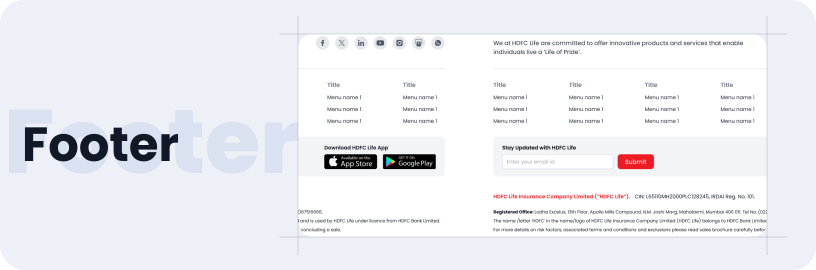
A footer component, typically located at the bottom of a webpage, contains essential company information and actionable items. Though not mandatory, these elements improve user experience, ensure compliance, and offer quick access to important details without overcrowding the main content.

Usage

  • Provides access to essential company information.
  • Contains legal disclaimers and terms & conditions.
  • Offers links to social media profiles and contact information, encouraging user interaction.

Anatomy

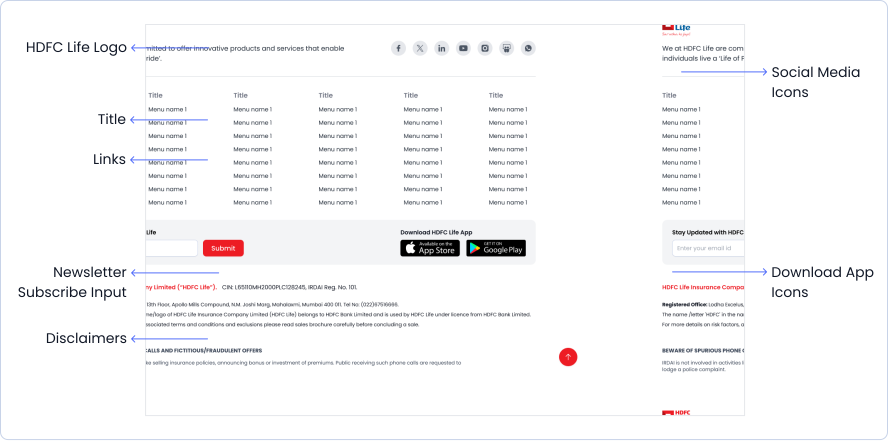
The footer features section titles accompanied by links, download icons, social media icons, and, disclaimers and legal text all of which are optional.
Specifications

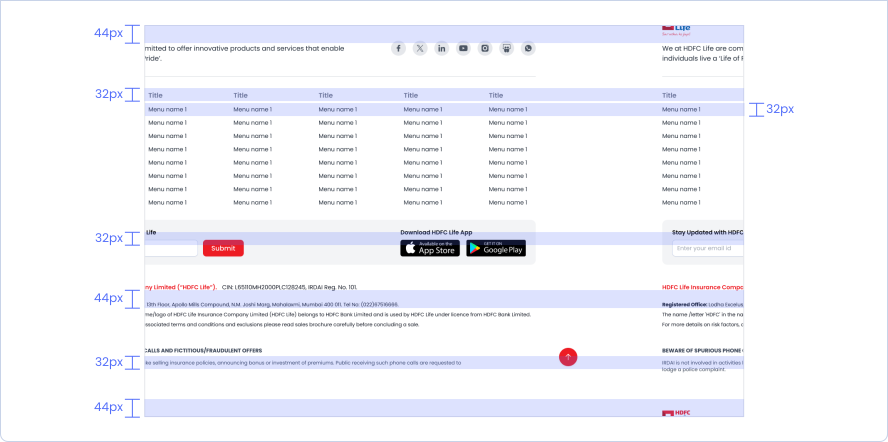
Structure and spacing measurements for footer.
Floating Action Button
Header

Helix - HDFC Life 2025