⌘ K
  • Design Principles
  • Design Framework
  • UX Laws
  • Colours
  • Typography
  • Layout Grids
  • Spacing & Radius
  • Shadow & Blur
Product Design Process
Accessibility Guideline
Content Voice
Marketing & Collaterals
  • Accordion
  • App Bar
  • Avatar
  • Badge
  • Button
  • Breadcrumb
  • Bottom Navigation
  • Carousel
  • Cards
  • Checkbox
  • Chip
  • Date Picker
  • Dropdown
  • Dialog
  • Divider
  • Floating Action Button
  • Footer
  • Header
  • Link
  • Loader
  • Menu
  • Pagination
  • Popover
  • Progress Bar
  • Radio Button
  • Search
  • Sidebar
  • Slider
  • Skeleton
  • Statistic
  • Stepper
  • Switch
  • Table
  • Tabs
  • Tag
  • Text Field
  • Timeline
  • Toast Message
  • Tooltip
  • Upload
  • Logos
  • System Icons
  • Visual Icons
  • Illustrations
  • Images
  • Tones
Templates
v 1.0
  • About Helix
  • For Designers
  • For Developers
  • Components
Loader

Loader

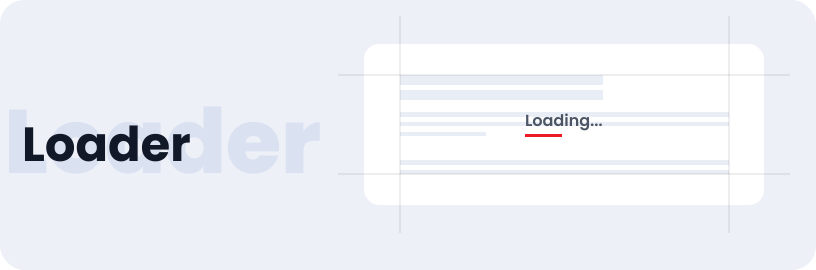
A loader component is a user interface element that visually indicates that a process is ongoing, such as data loading, content fetching, or any background operation. This element plays a significant role in enhancing the user experience by providing feedback during periods of waiting.

Usage

  • Indicate loading during form submission.
  • Display when refreshing live data in dashboards.
  • Show processing time during page rendering
  • Indicate progress during file uploads.

Anatomy

The Loader comprises a container containing a logo, action buttons, action icons, and a user details (optional).

Variant

Loader bar comes in four variants text, line, spinner, and dots.

Text Loader

Line Loader

Spinner Loader

Dots Loader

Options

Loader are available in different options like red, blue and white.

Loader / Red

Loader / Blue

Live Demo

The Loader is demonstrated in a live environment in this demo.

Storybook

Gain access to the component library by clicking here. (For developers)

Link
Menu

Helix - HDFC Life 2025