
Search
The search bar enhances user experience by enabling quick and efficient access to content or features.
Usage
- Allow users to quickly find specific content or items within the application.
- Navigation aid for accessing specific content or features.
- Facilitating content discovery and exploration.
Anatomy
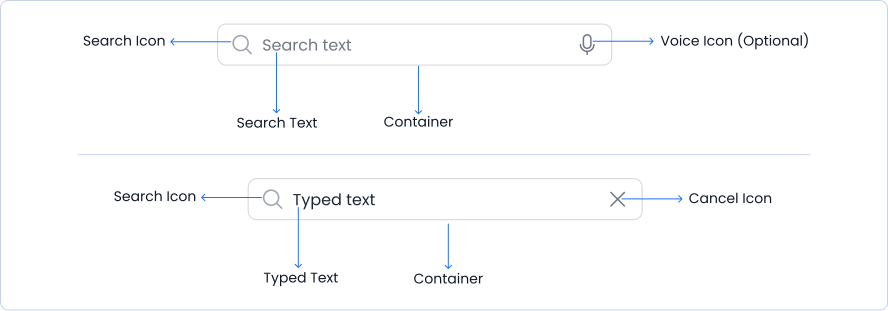
The search bar features a search icon alongside search text within a container, with a voice icon available for voice-assisted search (optional).
States
Search have default, typing and typed states.
Default
Typing
Typed
Sizes
Search are available in extra small , small, medium and large sizes.
Extra Small
Small
Medium
Large
Specifications
Structure and spacing measurements for search.

Live Demo
The Search is demonstrated in a live environment in this demo.