⌘ K
  • Design Principles
  • Design Framework
  • UX Laws
  • Colours
  • Typography
  • Layout Grids
  • Spacing & Radius
  • Shadow & Blur
Product Design Process
Accessibility Guideline
Content Voice
Marketing & Collaterals
  • Accordion
  • App Bar
  • Avatar
  • Badge
  • Button
  • Breadcrumb
  • Bottom Navigation
  • Carousel
  • Cards
  • Checkbox
  • Chip
  • Date Picker
  • Dropdown
  • Dialog
  • Divider
  • Floating Action Button
  • Footer
  • Header
  • Link
  • Loader
  • Menu
  • Pagination
  • Popover
  • Progress Bar
  • Radio Button
  • Search
  • Sidebar
  • Slider
  • Skeleton
  • Statistic
  • Stepper
  • Switch
  • Table
  • Tabs
  • Tag
  • Text Field
  • Timeline
  • Toast Message
  • Tooltip
  • Upload
  • Logos
  • System Icons
  • Visual Icons
  • Illustrations
  • Images
  • Tones
Templates
v 1.0
  • About Helix
  • For Designers
  • For Developers
  • Components
Slider

Slider

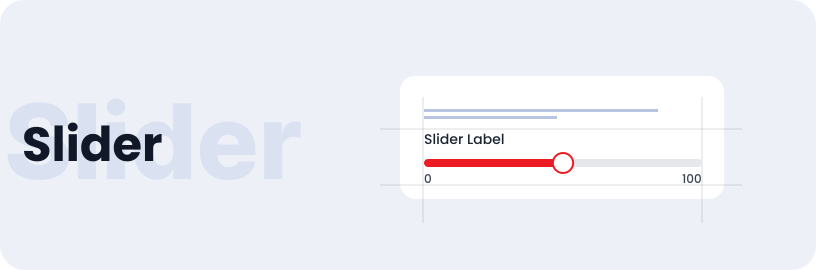
Sliders are interactive elements in user interfaces that enable users to change values or settings by dragging a handle horizontally along a track.

Usage

  • Sliders allow users to select a value within a range presented along a bar.
  • Users can adjust settings like amount and year using sliders.

Anatomy

The slider interface encompasses a sliding bar allowing users to adjust ranges as needed, accompanied by a dynamic count button for real-time feedback and enhanced usability.

Variant

Here are the two slider variants with title and without title.

With Title

Without Title

State

Sliders can have varying states depending on the counts or values they represent.

Count 25%

Count 50%

Count 75%

Count 100%

Specifications

Structure and spacing measurements for slider.

Live Demo

The Slider is demonstrated in a live environment in this demo.

Storybook

Gain access to the component library by clicking here. (For developers)

Sidebar
Skeleton

Helix - HDFC Life 2025