Content Voice
A brief guide to write content

Introduction
Before we delve into crafting content that enhances the insurance product, it's imperative to deeply understand our users' priorities, needs, and goals. We must champion their interests and view the experiences we create from their perspective.
Our focus should extend beyond just telling the immediate story of our product. We need to consider the entire lifecycle of our users as policyholders, beneficiaries, agents, or service providers within the insurance ecosystem. This means understanding how our relationships with them evolve over time, taking into account their changing needs, preferences, and circumstances.
Our approach to insurance content must reflect a comprehensive understanding of our users' roles and journeys. By doing so, we can create content that resonates with them at every stage, building trust, loyalty, and long-term engagement.
Style tips to keep in mind as you write your content
Keep it simple

Use straightforward, plain language. Break up your text into easily digestible chunks. Short sentences and fragments are easier to read and understand
Get to the point fast

Make sure your content is concise and to the point. Clearly state choices and next steps so that readers can make decisions confidently. Trim any unnecessary words or information
Talk like a person
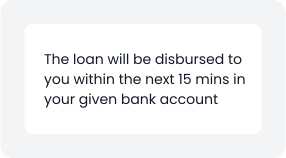
Write in a conversational tone, as if you're having a one-on-one conversation. Avoid overly formal language and aim for a friendly, approachable style
Link texts
Create concise, descriptive link text that clearly indicates where the link leads. Avoid using generic phrases like "Click here"
Writing Guidelines

Tittle sentence case usage
For UI text elements, employ sentence-case capitalisation, which predominantly uses lowercase letters. Capitalise only the first letter of the first word and any other words that necessitate capitalisation, like proper nouns. For instance, in a form, labels should appear as "First name" and "Email address".
E.g -
1. Your loan request has been processed.
2. An OTP has been sent to your registered mobile number for address confirmation.

Tittle case usage
Title case involves capitalising the first letter of every word except for certain articles and conjunctions. One purpose of using title case is to convey a formal or professional tone. The capitalised letters lend a serious appearance, making it suitable for specific types of Marketing Banners and emailers. Another reason to use title case is its ability to attract the reader's attention. Capitalised phrases stand out and can draw the eye, especially when used for headings and taglines.
E.g -
Experience Easy Sales With Instacheck!
Browse Our Wide Selection of Products.

Tone of voice
The design system uses a conversational and engaging tone to connect with users through short, clear phrases. This style is applied to error messages, nudges, titles, questionnaires, taglines, and headings, making communication feel friendly and approachable. By moving away from conventional, formal language, the system aims to create a more user-friendly and engaging experience, enhancing overall satisfaction and ease of use.
Note - Avoid using jargon, slang, and acronyms.
- Limit the use of special terms to prevent clutter in content.
- Do not capitalise words unnecessarily to create feature names.
- Prefer straightforward language over complex terminology.
- Consider the challenges of localisation and user comprehension, especially for English-language users.
Use Simple Vocabulary
Always use simple, short words in basic language that's easy to understand and conveys the user's goals effectively
| Do | Don't |
|---|---|
| Sign up | Begin the registration process |
| Get started | Initiate the setup |
| Learn more | Access additional information |
| Download now | Start the download |
| Contact us | Reach out for assistance |
| View details | Access the detailed information |
| Add to cart | Place the item in your shopping cart |
| Submit | Send your request |
| Explore | Start exploring the options |
Vital Information First
Always Prioritise displaying crucial information upfront in the user interface
| Do | Don't |
|---|---|
| Lead with the most important message | Bury important messages or make them hard to notice |
| Start headers and body text with user goals | Begin with UI actions instead of user goals |
| Use clear and concise language | Use vague or confusing language |
| Prioritize user goals over unnecessary information | Overload users with unnecessary information or actions |
Bonus Tip*
Write as if you're explaining to school kids, while considering both user goals and the goals of the product