Layout Grids
Grids and layouts in a design system provide the structural foundation for organising and presenting content consistently and aesthetically.
Grids, whether single-column, multi-column, modular, or hierarchical, use intersecting horizontal and vertical lines to create a framework that ensures alignment, spacing, and visual harmony.
Key principles like consistency, alignment, whitespace utilisation, and responsiveness are documented in the design system to guide designers and developers.
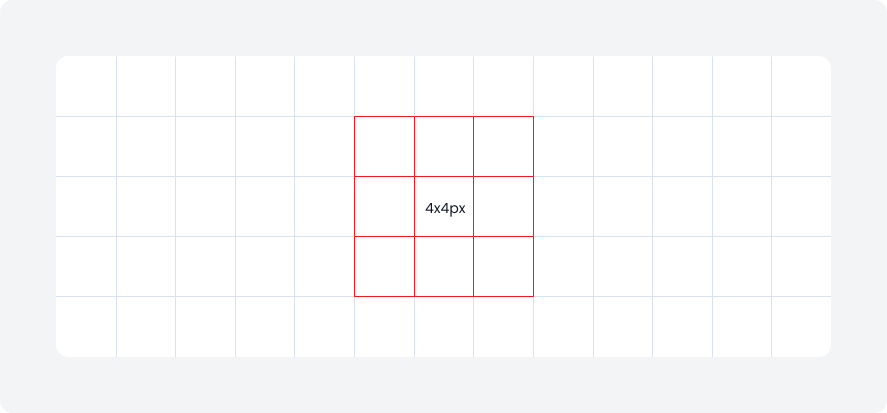
Mini unit
All basic elements are structured using 4x4 mini units, guiding columns, grids, and spacing. They are applied to components like tiles, cards, and layout columns, defining margins, gutters, and internal gaps.
This consistent use of 4x4 mini units maintains a harmonious and balanced visual structure across all elements.
Grid anatomy
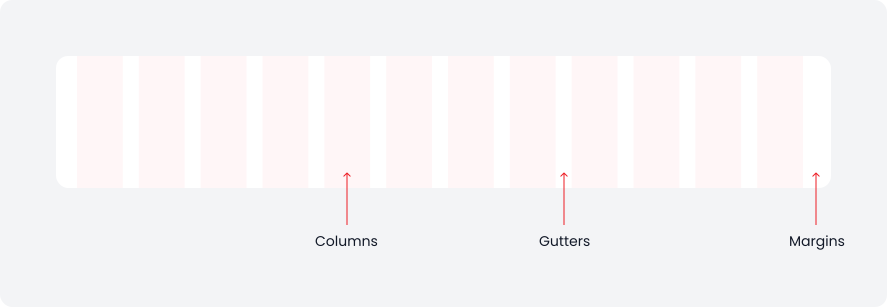
The layout grid structure consists of three key elements
Columns
These vertical sections divide the page into equal parts and help organise content.
Gutters
These are the gaps between columns, ensuring consistent separation of content.
Margins
These define the outer boundaries of the grid, preventing content from overflowing beyond the viewable area.
Type of Grid
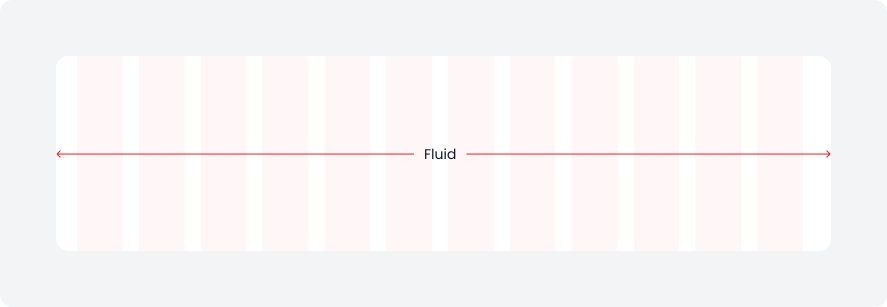
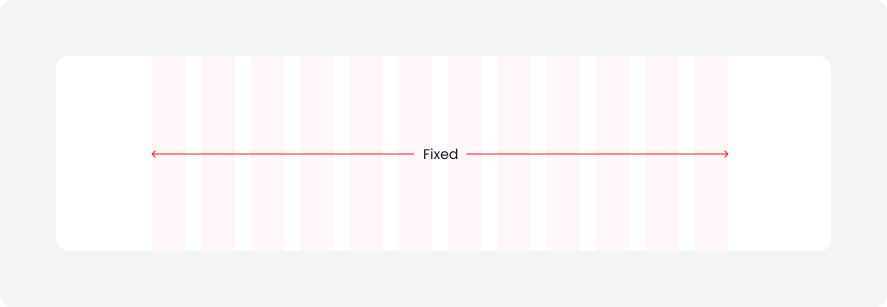
There are two types of grids: fluid and fixed. Both utilise breakpoints to adjust the layout based on different viewport sizes.
Fluid Grids
The responsive grid system adapts to any screen size, ensuring optimal viewing on all devices. Columns automatically resize, maintaining consistent design and usability from large monitors to small mobile screens.
Fixed Grids
The fixed grid system sets the ideal maximum width for page containers based on the elements being displayed. It includes both fixed-narrow and fixed-wide options, allowing content to be presented with the most suitable width.
Grids
Below are the grid layouts for desktop, tablet, and mobile devices.
Desktop grid
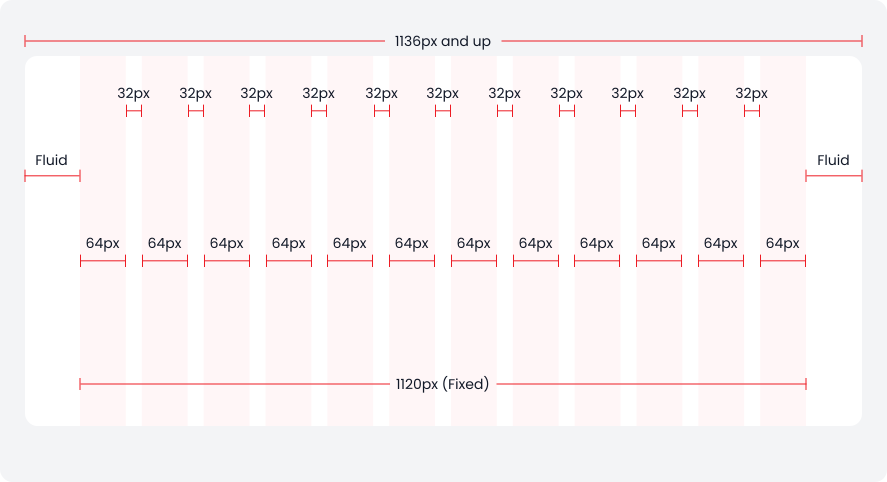
The desktop layout spans devices with a width of 1136px and above. It uses a fixed column implementation, where the margin, gutter, column width, and number of columns remain constant. As the device width increases beyond 1136px, the content stays centered, and the horizontal margins expand accordingly.
- Columns: 12
- Grid Width: 1120px
- Margin: Fluid
- Gutter: 32px
- Column width: 64px
Tablet layout
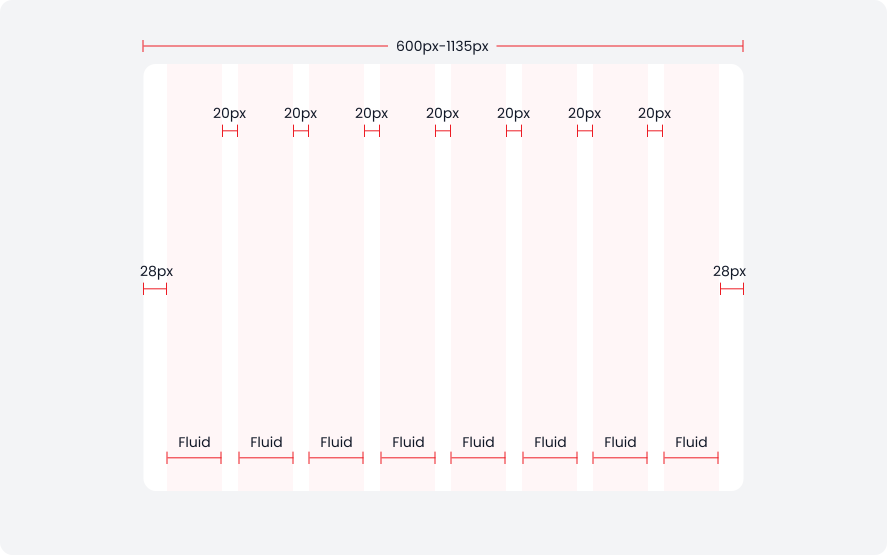
The tablet layout spans devices with widths from 600px to 1135px. It employs a fluid column implementation, where only the margin, gutter, and number of columns are fixed, allowing the column width to adjust based on the device width. This ensures that web content fits seamlessly across various mobile device sizes.
- Columns: 8
- Margin: 28px
- Gutter: 20px
- Column width: Fluid
Mobile layout
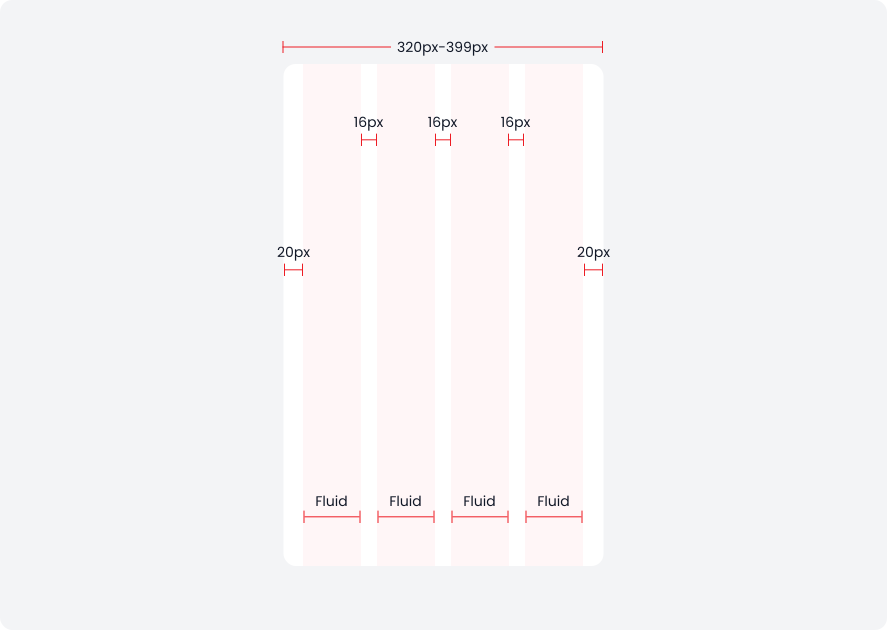
The mobile layout spans devices with widths from 320px to 399px. It uses a fluid column implementation, where the margin, gutter, and number of columns are fixed, allowing the column width to adjust to the device width. This ensures that web content fits well across various mobile device sizes.
- Columns: 4
- Margin: 20px
- Gutter: 16px
- Column width: Fluid
Breakpoint
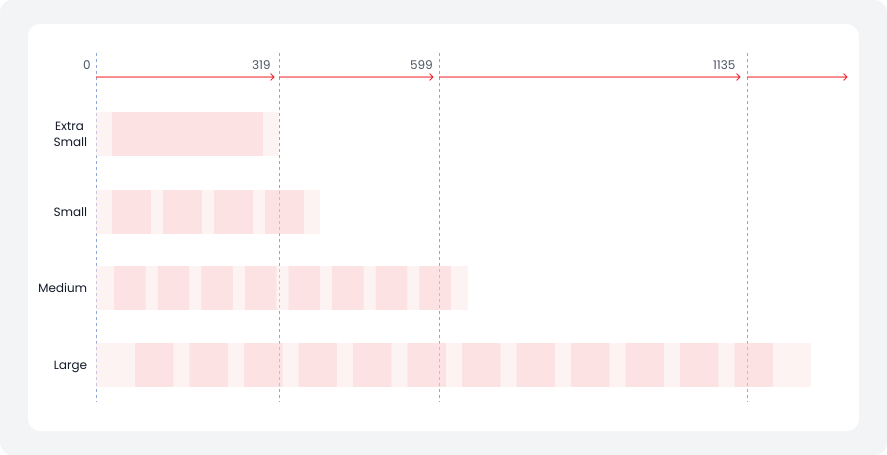
Breakpoints are thresholds where the website's layout adapts for optimal user experience, determining column numbers and margin and gutter widths for each viewport size.
Breakpoint
Range (in px)
Columns
Gutter
Margin
Extra small
0 to 319
1
-
-
Small
320 to 599
4
16
20
Medium
600 to 1135
8
24
28
Large
1135 to up
12
32
fluid
Column layout span
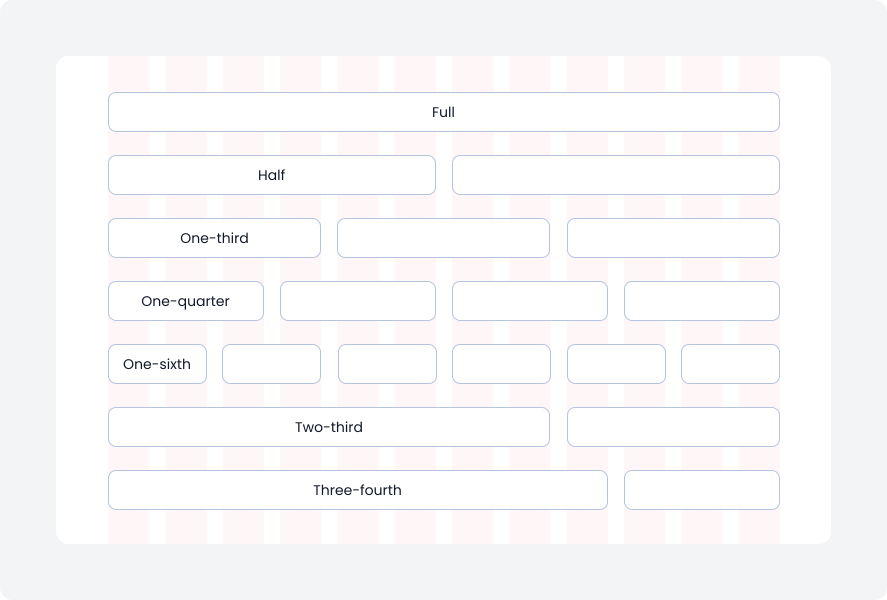
Create diverse layouts by spanning multiple columns within a 12-column grid, allowing varied content and containers across a page.
Layout anatomy
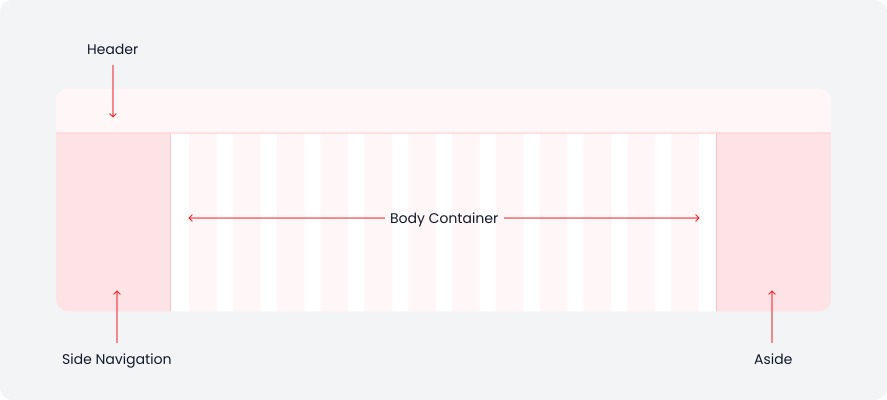
Layout regions organise elements and components based on their functions, forming the foundation of any web page.
Here's a detailed overview of the layout structure.
Layout variations
We have two layout adaptation type:
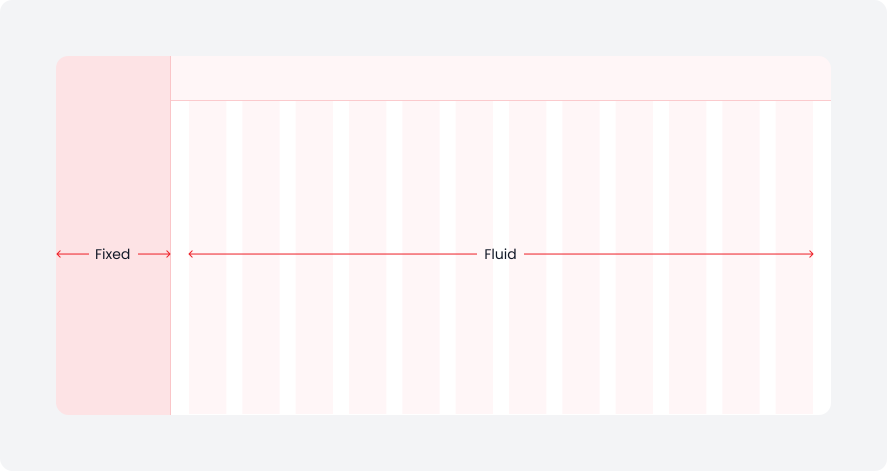
Left-right layout
Commonly used in dashboard designs for left and right layouts, the common practice is to fix the left navigation bar and dynamically scale the right work area.
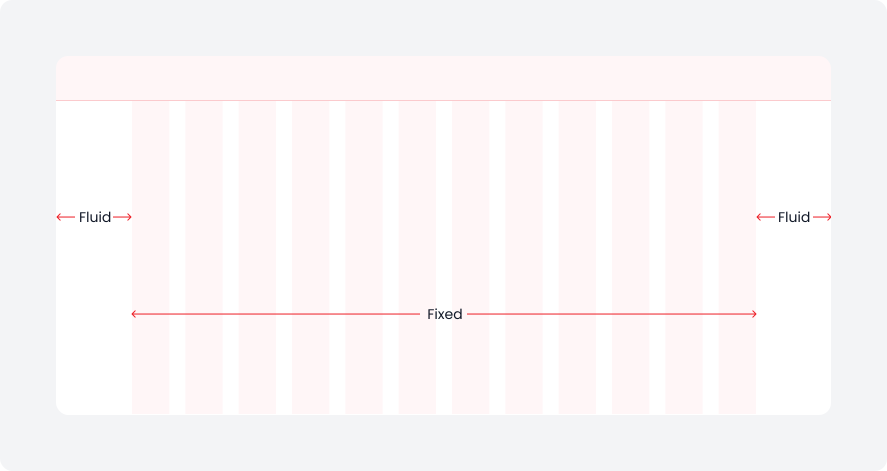
Center layout
In product journeys, center layouts fix the central area width while allowing side margins to scale dynamically.
Layout combination
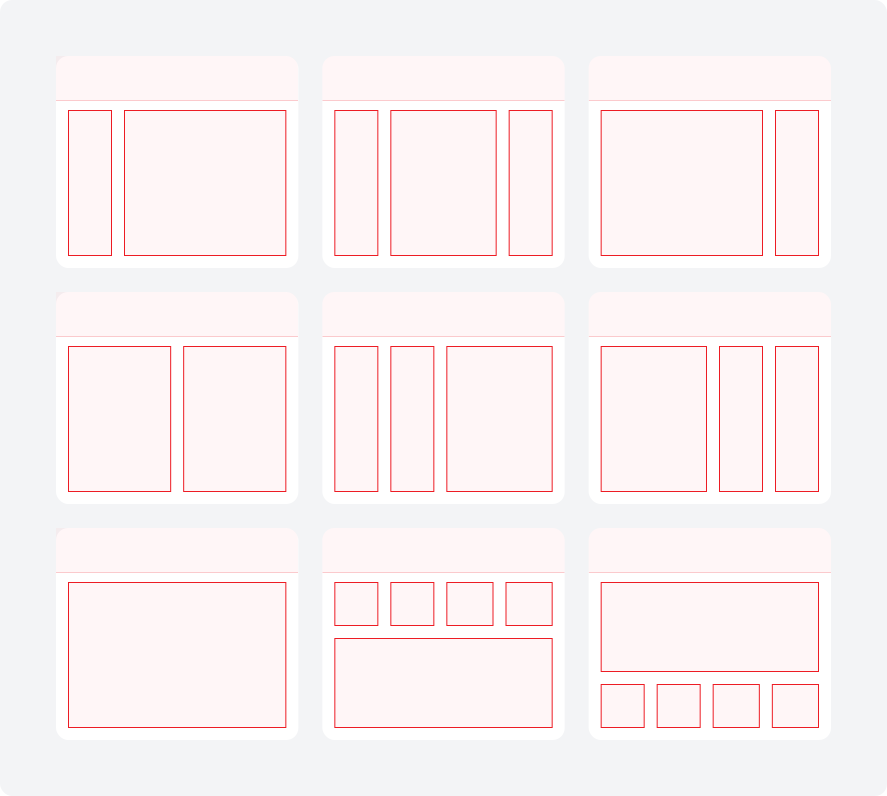
Here are some common layout combinations widely used across products.
There are four types of grids:
- Manuscript Grids
- Column Grids
- Modular Grids
- Baseline Grids