Spacing & Radius
Spacing provides breathing room for elements, aiding in grouping and separation. Radius defines the rounding of corners on rectangular shapes.
Spacing
The spacing scale Utilises multiples of four, eight, and twelve to complement the 4x Grid scale. These increments are crucial for establishing appropriate spatial relationships and controlling density within the design system.

Scale
The spacing scale Utilises multiples of four, eight, and twelve to complement the 4x Grid scale. These increments are crucial for establishing appropriate spatial relationships and controlling density within the design system.

Hierarchy
It is important to use spacing to effectively communicate the hierarchy between elements. As a general rule, elements higher in the hierarchy should have more space around them, and this spacing gradually decreases as the hierarchy descends.

White space
White space, or empty space, is crucial in design to create focus, break up sections, and aid information processing. It prevents overcrowding and ensures a visually balanced UI, allowing users' eyes to rest and navigate comfortably.
Spacing Tokens
The spacing scale is essential for building individual components, ensuring appropriate spatial relationships in detail-level designs with small increments. All components in the Helix design system adhere to this scale for consistency and effective layout.
Spacing Name
Spacing-1
Token
spacing/01
Size(PX)
4
Example
Spacing Name
Spacing-2
Token
spacing/02
Size(PX)
8
Example
Spacing Name
Spacing-3
Token
spacing/03
Size(PX)
12
Example
Spacing Name
Spacing-4
Token
spacing/04
Size(PX)
16
Example
Spacing Name
Spacing-5
Token
spacing/05
Size(PX)
20
Example
Spacing Name
Spacing-6
Token
spacing/06
Size(PX)
24
Example
Spacing Name
Spacing-7
Token
spacing/07
Size(PX)
28
Example
Spacing Name
Spacing-8
Token
spacing/08
Size(PX)
32
Example
Spacing Name
Spacing-9
Token
spacing/09
Size(PX)
36
Example
Spacing Name
Spacing-10
Token
spacing/10
Size(PX)
40
Example
Spacing Name
Spacing-11
Token
spacing/11
Size(PX)
44
Example
Spacing Name
Spacing-12
Token
spacing/12
Size(PX)
48
Example
Spacing Name
Spacing-13
Token
spacing/13
Size(PX)
56
Example
Spacing Name
Spacing-14
Token
spacing/14
Size(PX)
64
Example
Spacing Name
Spacing-15
Token
spacing/15
Size(PX)
112
Example
Corner Radius
A radius refers to the amount of curvature or rounding applied to the corners of a rectangular shape or element.
The purpose of radius rules is to highlight the container nesting level visually – the more the container envelops, the bigger its radius.
Radius tokens
Radius values are dependent on the size of the component that it is applied to.
Radius Name
Radius-1
Token
radius/01
Value(PX)
4
Example
Radius Name
Radius-2
Token
radius/02
Value(PX)
8
Example
Radius Name
Radius-3
Token
radius/03
Value(PX)
12
Example
Radius Name
Radius-4
Token
radius/04
Value(PX)
16
Example
Radius Name
Radius-5
Token
radius/05
Value(PX)
20
Example
Radius Name
Radius-6
Token
radius/06
Value(PX)
24
Example
Radius Name
Radius-7
Token
radius/07
Value(PX)
32
Example
Radius Name
Radius-Full
Token
radius/08
Value(PX)
100
Example
Spacing range
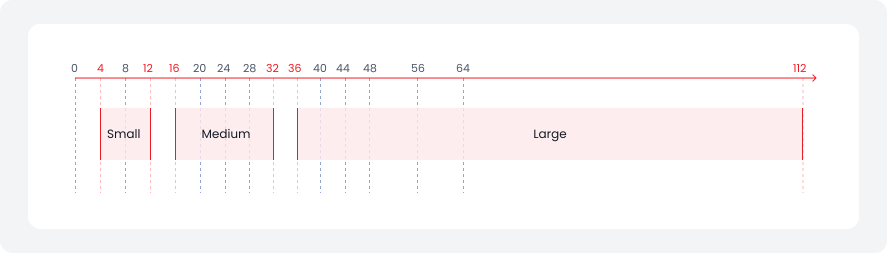
Different use cases require varying ranges of spacing units to achieve optimal results.
Small range - 4px to 12px
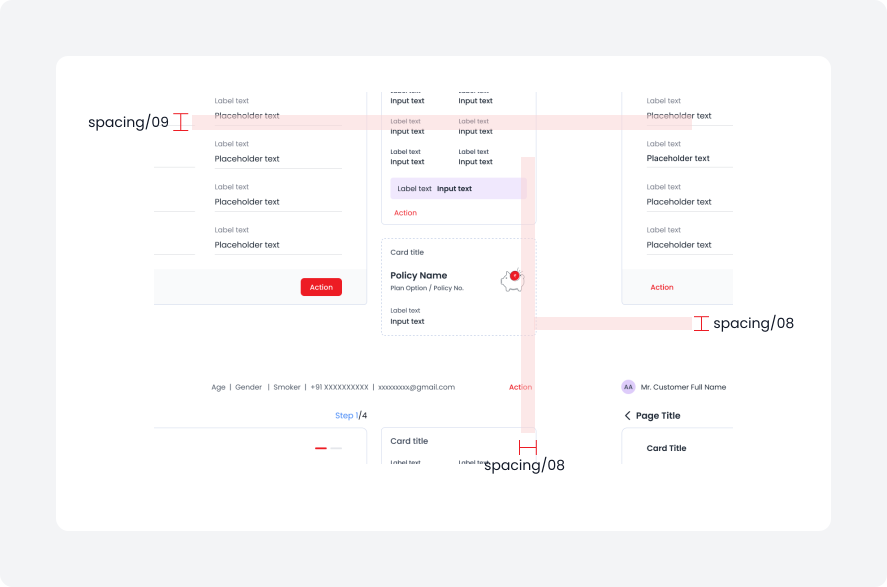
For small and compact pieces of UI, use spacing tokens ranging from 4px (spacing/01) to 12px (spacing/03).
Medium range - 16px to 28px
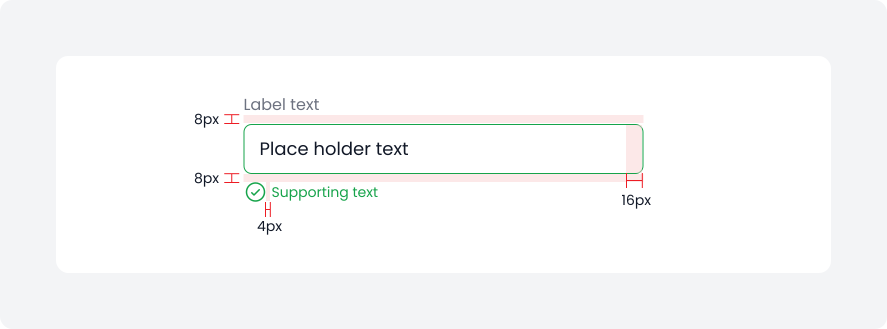
For medium and less dense pieces of UI, use spacing tokens ranging from 16px (spacing/04) to 28px (spacing/07).
Large range - 32px to 112px
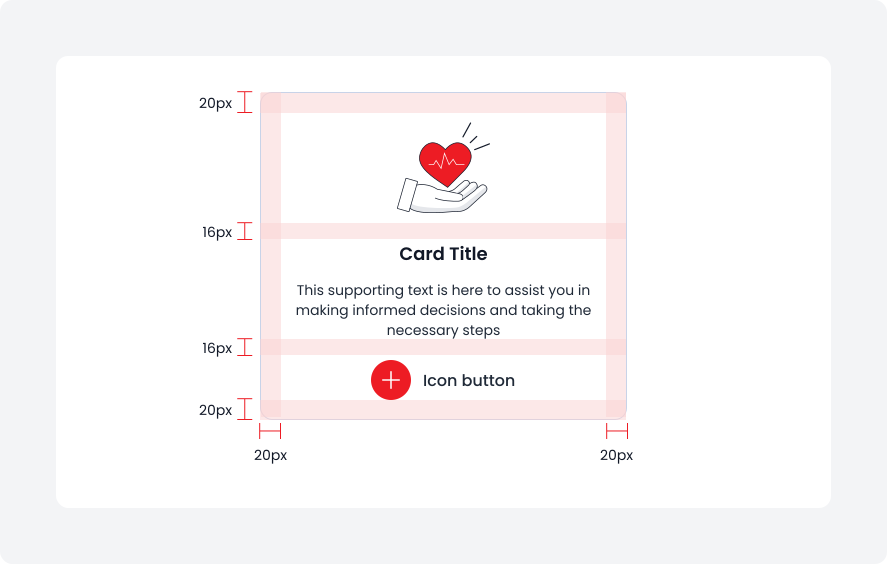
For the largest pieces of UI and layout elements, use spacing tokens ranging from 32px (spacing/08) to 112px (spacing/15).
Radius range
Radius usage depends on different use cases to maintain a consistent and appealing design.
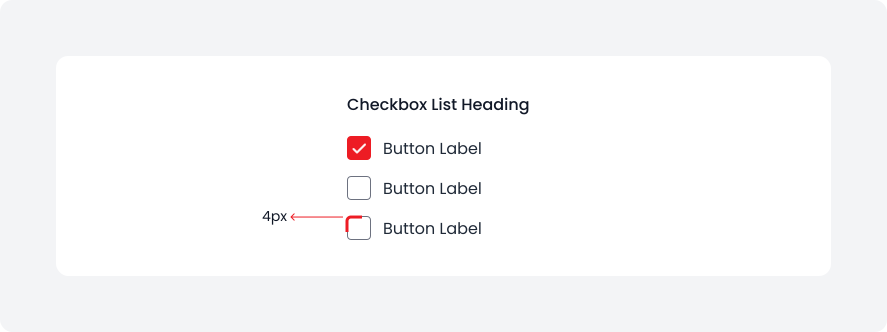
Radius 1 - 4px
This corner radius should only be used in specific cases, like checkbox.
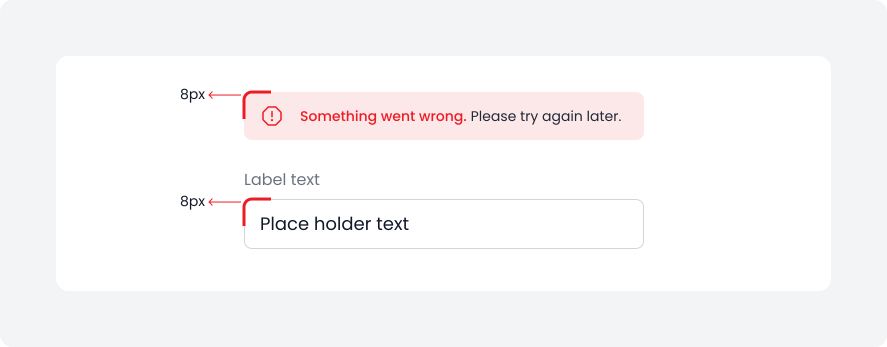
Radius 2 - 8px
The radius value 8px is used for most UI elements, e.g. Buttons, Toast Message, Text field, Tags.
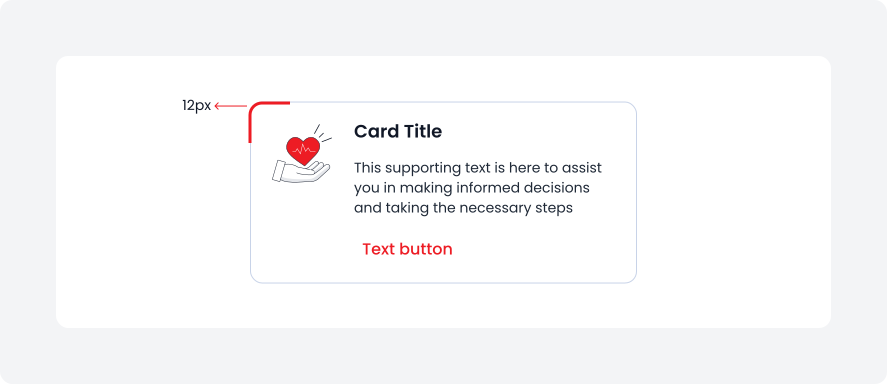
Radius 3 - 12px
Radius 3 - 12px corner radius used for small container which contain pieces of content, like Cards.
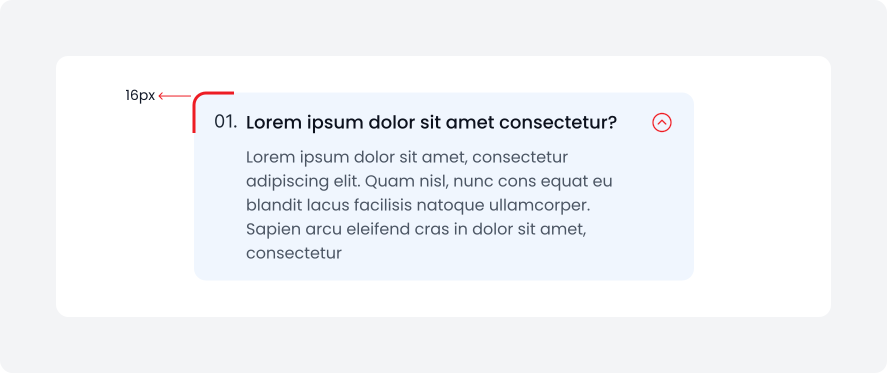
Radius 4 - 16px
This 16px corner radius used for medium sized container which contain pieces of content, like accordian.
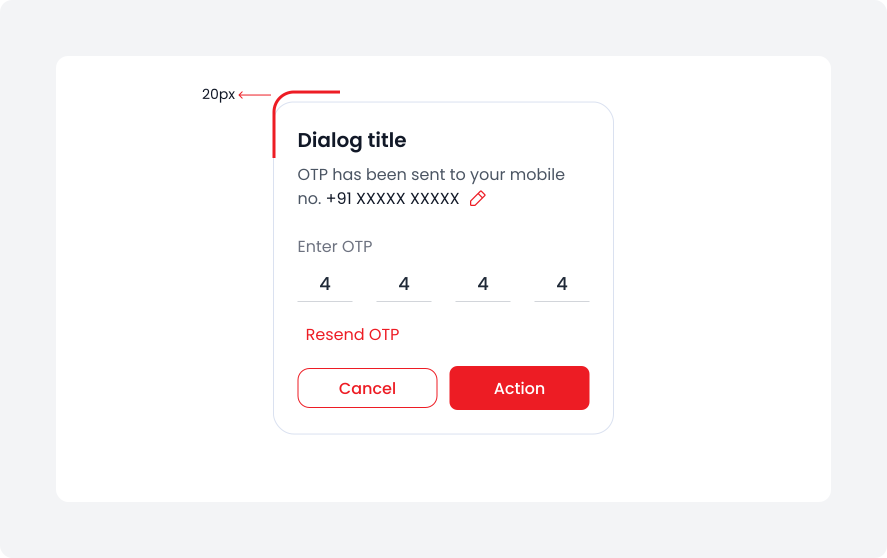
Radius 5 - 20px
20px corner radius is used for large containers like dialogs, which display important information, alerts, or interactive content within an interface.
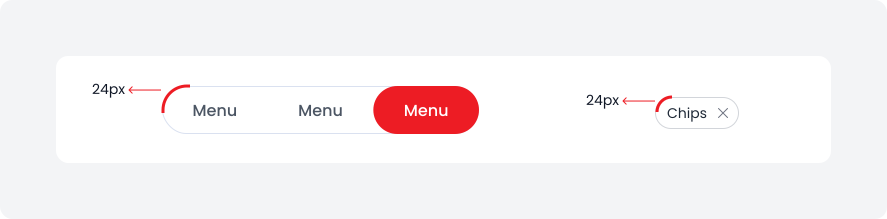
Radius 6 - 24px
A 24px radius is used for small elements, such as chips and tags, giving them a 'pill-like' appearance.
Radius Full - 100%
Use a full radius to create a circle.